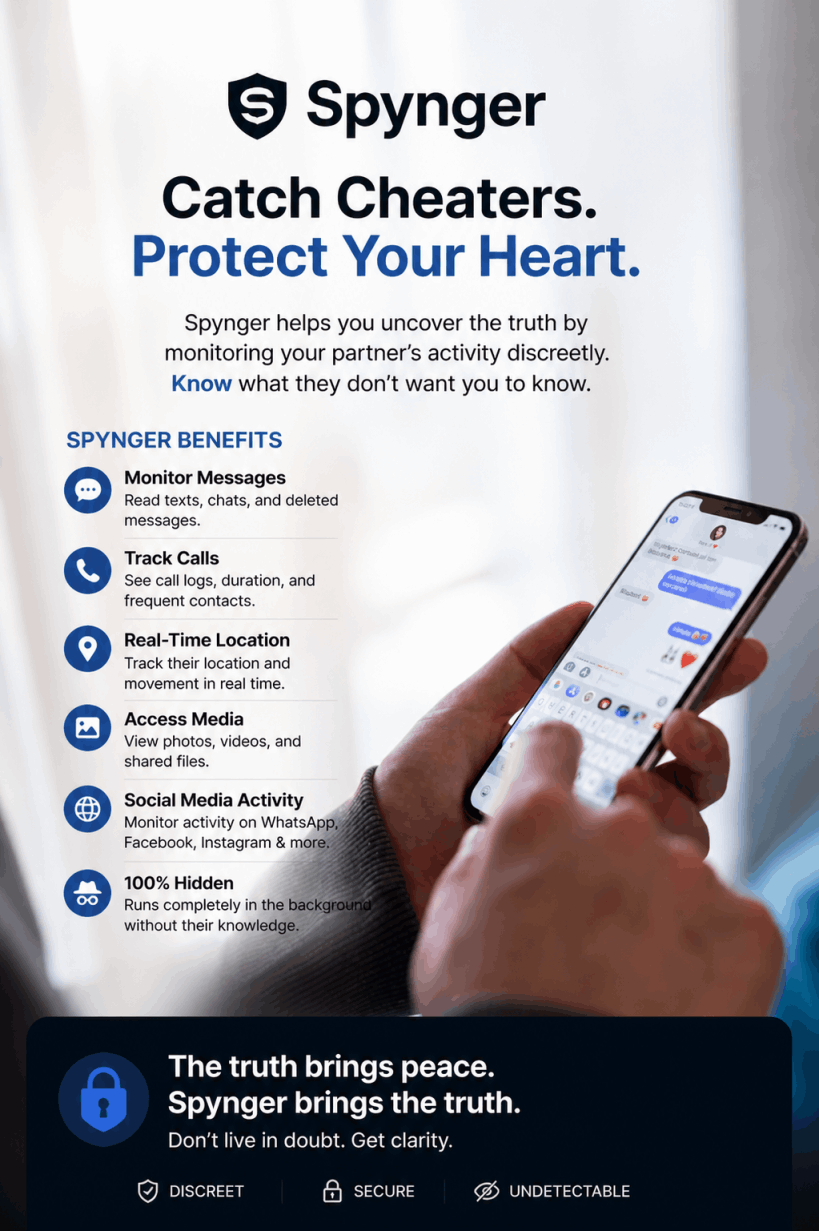
Spynger is a comprehensive monitoring solution that allows you to see everything happening on a smartphone. From location, messages and calls, to social media platforms, websites and even the phone gallery.
It follows modern security standards and uses end to end encryption. The app keeps all your data safe and makes sure that only you can access it.

Spynger is a phone monitoring app built to give users detailed visibility into smartphone activity. It focuses on tracking messages, social app conversations, call logs, GPS location, photos, browser history and typed activity. Instead of setting strict limits or blocking apps, Spynger prioritizes visibility and awareness.
It suits parents who want to understand their child’s digital behavior or adults monitoring devices with consent. The dashboard is simple, data is organized clearly, and location tracking works reliably for daily monitoring needs.
It can also be useful for adults who want to monitor devices with consent, such as keeping track of an elderly family member’s movements or overseeing a shared company phone. I find Spynger easiest to use when you have a clear goal and honest communication with the person being monitored.
This tool is not meant for secret surveillance without permission. It should only be used when all parties agree, and the monitoring is lawful. If safety, transparency, and responsible use are your priorities, Spynger may be a solid choice.
Spynger Features:- 1. Monitor every keystroke on their phone including passwords.
2. See where they have been and where they are going.
3. Find out who and when they call.
4. See what they search for.
5. Read their social media chats including dating apps.
6. Check their texts (including deleted messages).
7. See the pics they share and receive.
8. Do it all without being detected.
1. Turn stealth mode on - They won’t notice a thing as the iPhone monitoring app runs silently in the background. 100% secret tracking.
2. Run keylogger & capture screen - Track every single keystroke they make and capture screenshots of their online activity.
3. Know their chat circle - Get closer to private communications. Monitor their calls, messages, and emails with associated contact data and timestamps.
4. Track GPS location - Follow their real time movements with GPS tracker. Access the history of past routes. Receive notifications when they enter or leave designated areas.
1. Enable advanced Stealth mode - Cover your tracks with the advanced stealth mode feature. The app will run silently in the background of the target Android device. Your partner won't even know the app is installed.
2. Use keylogger & take screenshots - Control any hidden activity capture screenshots of their device and record every single word they type in.
3. Read conversations - Keep an eye on their social circle. Monitor their calls, messages, and emails with detailed info about the participants of conversations.
4. Track GPS location - You’ll be the first to know if they lie about their whereabouts. Track their past locations and current routes, and receive notifications every time they enter or leave specific areas.
Spynger is best for people who need clear insight into how a smartphone is being used. It works well for parents who want to keep their children safe online and understand their digital habits.
With location tracking, message monitoring, and app activity logs, it helps parents stay aware without guessing. The app works on both iOS and Android, offering flexibility for families or users with mixed devices.
It can also be useful for adults who want to monitor devices with consent, such as keeping track of an elderly family member’s movements.
Spynger is a good choice for responsible, transparent monitoring when safety and awareness are the priority. It is most effective when used legally and ethically.
Here are some of the important benefits of springer Mobile Devices:
Whenever you need help, just let us know. We have your back.
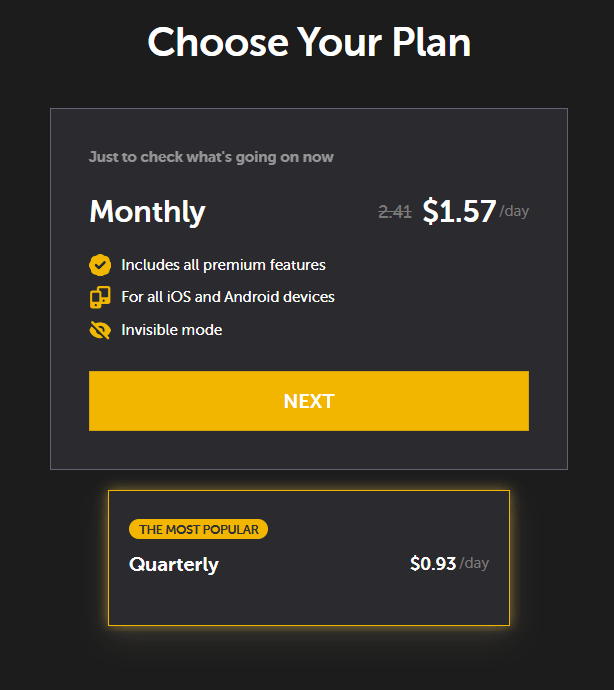
- Quarterly plan is priced at $0.93 per day.
- All premium features and supports all iOS and Android devices.
- Invisible mode.
Step 1: Choose a plan - You start by selecting a Spynger subscription that fits your needs. This gives you access to the dashboard and features.
Step 2: Install the app - The app is installed on the target phone. This requires physical access for a short time to complete the setup.
Step 3: Grant permissions - Spynger asks for specific permissions so it can collect data like messages, calls, and location.
Step 4: Monitor from the dashboard - Once active, Spynger runs quietly. You log in to the online dashboard to view activity in real time. I find the layout simple to follow.
Step 5: Review and manage data - You can regularly check updates and manage settings based on your monitoring goals.
- Quarterly plan is priced at $0.93/day
- All premium features and supports all iOS and Android devices.
- Invisible mode
Spynger Mobile Device is backed by a 100% money back guarantee for 30 full days from your original purchase.
If you’re not totally and completely satisfied with the Cheating App or your experience in the first 30 days from your purchase simply let us know at Spynger Portal and we’ll give you a refund within 48 hours of the product being returned.
That’s right, simply return the Spynger Mobile Device anytime within 30 days of your purchase and you’ll receive a refund, no questions asked!
If within the first 30 days of receipt you are not satisfied with Spynger Mobile Devices, you can request a refund by sending an email to the address given inside the product and we will immediately refund your entire purchase price, with no questions asked.
Spynger Cheating App 30 day risk free guarantee
Spynger is a legitimate phone monitoring application used worldwide for parental control and consent-based monitoring. It provides real features, customer support, and documented policies. It is not a scam, but its legality depends on how you use it. Monitoring without permission can violate privacy laws, so responsible and lawful use is essential.
Spynger is not free and does not offer a free trial. All features are available only through paid plans. However, it includes a 30-day refund policy under specific conditions. This allows users to test the service with reduced risk if it does not meet expectations.
To install Spynger, you first create an account and choose a plan. Android installation requires brief physical access to the device. iPhone setup may use iCloud credentials or direct access, depending on features. Follow the on-screen instructions carefully to grant the required permissions.
Spynger can access call logs, text messages, contacts, photos, browsing history, GPS location, and activity on supported social apps. It may also capture keystrokes and screenshots. The exact data available depends on the device type, operating system, and permissions granted during setup.
Spynger does not require rooting on Android or jailbreaking on iPhone for core features. Most standard monitoring works without altering the device system. However, some advanced functions may be limited on non-rooted or non-jailbroken devices, depending on platform restrictions.
Spynger uses encryption and account authentication to protect user data. Access is limited to the account owner through a secure dashboard. Safety largely depends on responsible use. When used with consent and strong passwords, it is generally considered secure for monitoring purposes.